TL;DR
- An agent API can mean two opposite things, and most teams need both.
- Direction one: your agent exposed as an endpoint other software can call. Headless invocation, no chat window required.
- Direction two: external services exposed to your agent as tools, so it can act instead of just answering.
- A third, unrelated meaning exists in contact center software (ViciDial, NICE CXone), where “agent” means a human or virtual support rep, not an AI agent.
- Model Context Protocol (MCP) is becoming the standard for direction two. It doesn’t replace direction one.
Type “agent api” into Google and you’ll get four different products from four different companies, each convinced they own the term.
Perplexity’s docs. Salesforce’s Agentforce reference. Mistral’s Agents API announcement. IBM’s API Connect page, which isn’t even about the same thing.
None of them are wrong. That’s the actual problem.
The phrase “agent api” describes two architectural directions that point at each other, plus a third meaning from an entirely different industry that keeps polluting the search results. If you’re building anything with AI agents in 2026, you’ll eventually need to know which direction you’re standing in, because the code, the design decisions, and the failure modes are different for each.
This article covers both. With working requests and responses for each, not screenshots of a UI that will look different by the time you read this.
What Is an Agent API?
An agent API is an interface that lets software communicate with, manage, or invoke an autonomous AI agent. That’s the umbrella definition. Underneath it, the term splits three ways depending on which side of the agent you’re standing on.
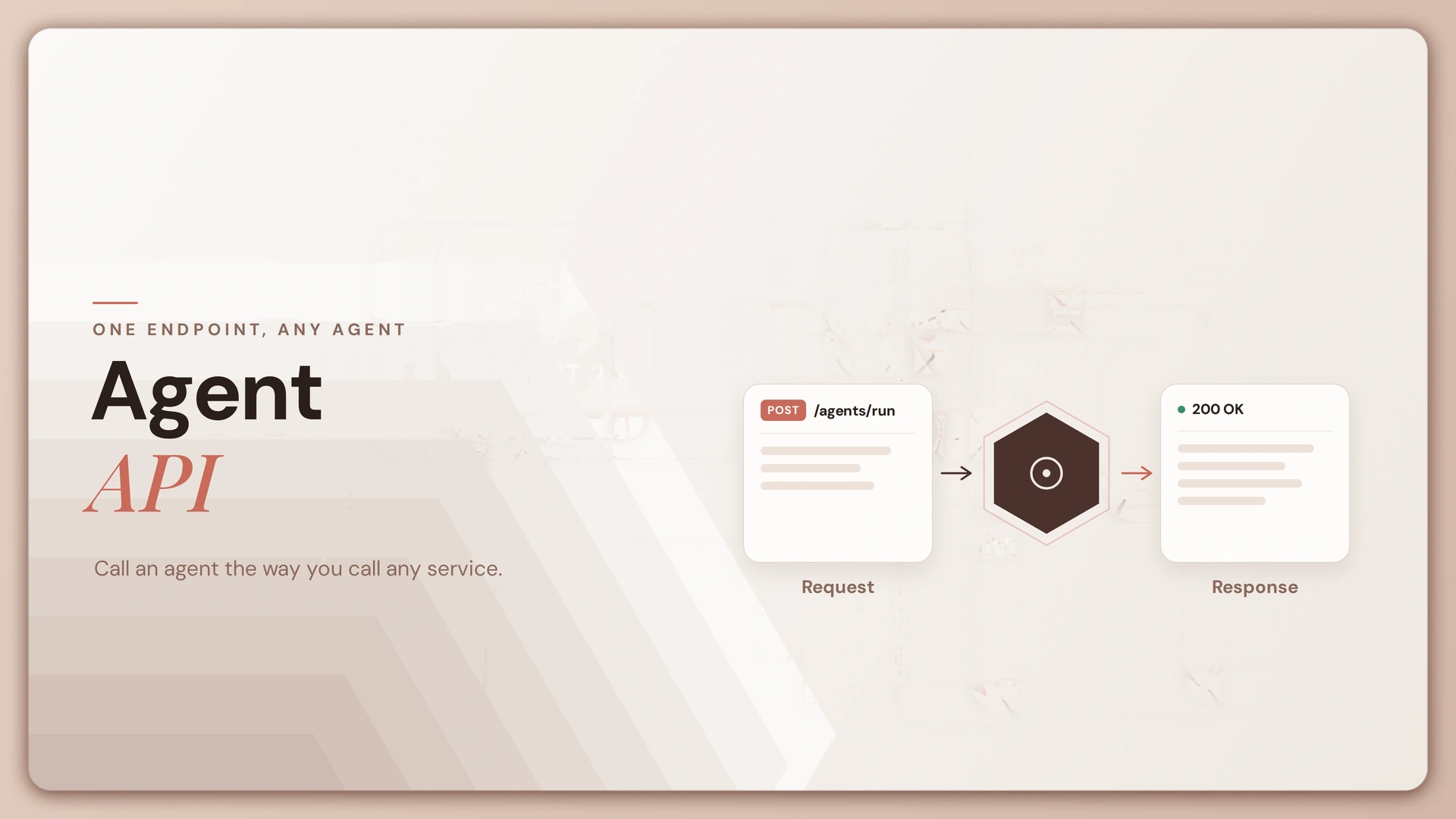
An agent exposed as an API. This is the headless model: a platform endpoint that lets a developer invoke an agent programmatically, manage its session state, and get a result back without touching a chat interface. Salesforce’s Agentforce, Perplexity’s API, and Mistral’s Agents API all work this way.
According to MuleSoft, 2026, “an AI agent API is a type of API that enables seamless communication between AI agents and other software or platforms.”
APIs exposed to an agent. This is the reverse direction. Here, external services are described to the agent as tools it can call to fetch data or take action. This is where function calling lives, and increasingly, where MCP is standardizing what used to be a mess of custom integrations.

Contact center agent APIs. A completely different industry uses the same words for something unrelated. ViciDial and NICE CXone use “agent API” to mean session and state management for human or virtual support reps. If that’s what brought you here, this isn’t the right page.
Here’s the part almost nobody writing about this covers: directions one and two aren’t alternatives you choose between. An AI agent that’s actually useful in production is usually both at once, an endpoint that something else calls, and a caller of other endpoints in turn. Skip one direction and you’ve built either a black box nobody can integrate with, or a chatbot that can talk about doing things but can’t do them.
Direction One: The Agent as an API
An agent exposed as an API needs four things working together: a model and its configuration, a way to track state across calls, a method of invocation, and a scope for its credentials.
- Agent definition. The model, its system prompt, its available tools, and its memory configuration all get set once, at creation time, not re-sent on every call.
- Session and context. Does the agent remember the last message, or does every call start cold? Most production agent APIs support a session ID that carries conversation history forward, which matters the moment you’re building anything beyond a single-turn Q&A tool.
- Invocation shape. Requests can be synchronous (wait for the full response), streamed (tokens as they generate), or asynchronous (submit a task, poll for the result). Long-running agent tasks, the kind that call five tools before answering, usually need the async pattern.
- Credential scope. Model keys and tool credentials get tied to an environment, not hardcoded into the agent, so the same agent definition can run against different keys in staging and production.
Here’s what creating an agent looks like against the AI Agent API you’d access through Lyzr Studio:
curl -X POST "https://agent.api.lyzr.app/v2/agent" \
  -H "accept: application/json" \
  -H "Content-Type: application/json" \
  -H "x-api-key: your_Lyzr_API_Key_Here" \
  -d '{
    "env_id": "60d0fe4f531xxxxxx",
    "system_prompt": "You are a research assistant that summarizes news.",
    "name": "News Assistant",
    "agent_description": "Summarizes current news on a given topic."
  }'
Response:
{ "agent_id": "60d0fe4f531xxxxxx" }
Once the agent exists, invoking it headlessly looks like this:
curl --request POST \
  --url https://agent-prod.studio.lyzr.ai/v3/inference/chat/ \
  --header 'Content-Type: application/json' \
  --header 'x-api-key: <api-key>' \
  --data '{
    "user_id": "app_user_042",
    "agent_id": "60d0fe4f531xxxxxx",
    "session_id": "60d0fe4f531xxxxxx-sess01",
    "message": "Summarize today'\''s AI regulation news."
  }'
Response:
{ "response": "Here's a summary of today's key AI regulation developments..." }
That’s the whole pattern behind headless invocation: no chat window, no screenshot, just a request and a structured answer something else in your stack can parse. A sales agent that books meetings automatically or an assistant embedded inside another SaaS product both run on exactly this call shape. The full endpoint reference, including streaming and async task endpoints, is documented at docs.lyzr.ai.
Direction Two: APIs as Agent Tools
This is the direction almost nobody writing about “agent api” actually covers, and it’s arguably the more interesting one right now.
Here, the agent isn’t the thing being called. It’s the thing doing the calling. For an agent to move past generating text and actually do something, search the web, query a database, send an email, it needs a set of external services described to it as tools.
How tool calling works. A tool gets described to the model as a name, a natural-language description, and a schema for its parameters. When the model decides a tool is needed, it doesn’t call the API directly, it returns a structured request for your code to execute. Your code runs the actual call, then feeds the result back into the conversation so the model can use it.
tools = [
    {
        "name": "get_stock_price",
        "description": "Fetch the current price for a given stock ticker symbol.",
        "parameters": {
            "type": "object",
            "properties": {
                "ticker": {"type": "string", "description": "Stock ticker, e.g. AAPL"}
            },
            "required": ["ticker"]
        }
    }
]

# Model decides a tool is needed and returns a call, not a direct API hit
tool_call = {"name": "get_stock_price", "arguments": {"ticker": "AAPL"}}

# Your code executes the actual request
import requests
result = requests.get(f"https://api.example.com/quote/{tool_call['arguments']['ticker']}").json()
# result -> {"ticker": "AAPL", "price": 231.42}

# Result gets appended back into the conversation for the model to use
conversation.append({"role": "tool", "name": "get_stock_price", "content": str(result)})
Most enterprise APIs weren’t built with this pattern in mind. They were built for developers who read documentation before writing a call, not for a model inferring intent from a description string.
That gap is real integration cost, not a theoretical one. An API with vague field names, inconsistent error codes, or write operations that aren’t idempotent (safe to retry without duplicating the effect) will get misused by an agent in ways a human developer would have caught immediately.
Model Context Protocol is the emerging fix for the fragmentation this creates. Instead of writing a custom tool definition for every model provider, MCP standardizes the interface once.
According to a 2026 review of agent interoperability protocols, “MCP has evolved into a general-purpose context provision standard, with the ecosystem expanding to over 110 million monthly downloads, signaling broad industry adoption.”
The protocol’s most recent revision matters here too: the November 2025 revision introduced OAuth 2.1 as a standardized authentication layer, and the MCP Registry listed over 3,000 publicly registered tool servers as of early 2026. A related but distinct standard, A2A, handles agent-to-agent communication rather than tool access.
“It reached version 1.0 in April 2026 and is now supported by over 150 organizations, integrated into AWS, Microsoft, and Google cloud platforms.”
Permissions deserve their own line here. An agent with a tool has that tool’s access, full stop. A read-only search tool is low-risk. A tool that can write to a production database, send an email, or move money needs credential scoping that assumes the model will eventually call it at the wrong moment, because it will.
The agent’s tool set can just as easily include external data sources, market feeds via the TradingView API being a common example for finance-adjacent agents. For more on how these calls get sequenced across a multi-step task, see agent orchestration and multi-agent architecture.
What to Look For in an Agent API
Skip the vendor comparison charts. These seven questions cut through most of the marketing:
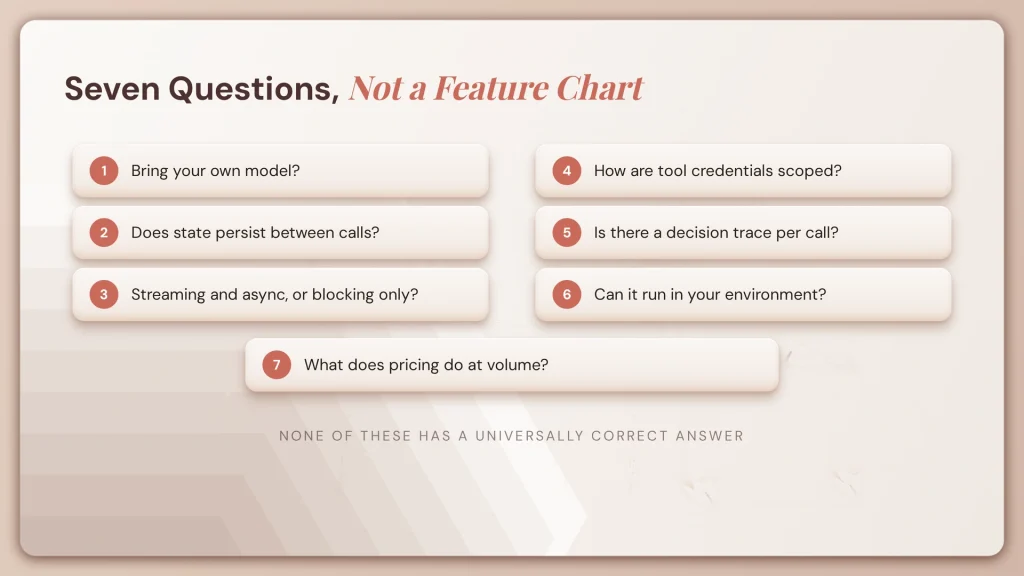
- Can you bring your own model, or is it locked to one provider? Vendor lock-in shows up fast once you need a model the platform doesn’t support.
- Does state persist between calls? If you have to resend the full conversation history every time, you’re paying for tokens you shouldn’t need to.
- Is invocation synchronous only, or are streaming and async supported? Multi-step agent tasks that take 30+ seconds need something other than a blocking request.
- How are tool credentials scoped? Per agent, per application, or globally, and does that match how your security team thinks about access?
- Is there a decision trace for each call? When an agent takes an action, you need to see why, not just what.
- Can it run in an environment you control? Data residency requirements don’t disappear because the workload is agentic. Platforms built around a control plane and sovereign AI deployment options handle this differently than pure SaaS.
- What does pricing do at volume? Per-call pricing that looked reasonable in a demo can get expensive fast once an agent is making dozens of tool calls per task.
None of these questions have a universally correct answer. They’re a checklist for matching the API to the constraints you actually have, which is a more honest exercise than reading a feature comparison table. For a broader look at how model choice affects long-term flexibility, see model flexibility vs. vendor lock-in, and for a wider survey of options, 20 best AI agent platforms.
A Worked Example
Take a news summarization agent, one that gets asked a question, decides it needs live data, fetches it, and answers. This is both directions at once: the agent is invoked as an API, and it calls a tool as an API in turn.
import requests

API_KEY = "your_Lyzr_API_Key_Here"
BASE = "https://agent-prod.studio.lyzr.ai/v3"

# Step 1: Create the agent with a tool it's allowed to call
agent_config = {
    "name": "News Agent",
    "system_prompt": "You answer questions using the search_news tool when the question needs current information.",
    "tools": ["search_news"],
    "provider_id": "openai",
    "model": "gpt-4o"
}
agent = requests.post(
    f"{BASE}/agents",
    json=agent_config,
    headers={"x-api-key": API_KEY}
).json()
agent_id = agent["agent_id"]

# Step 2: Invoke it. The agent decides internally whether to call search_news
response = requests.post(
    f"{BASE}/inference/chat/",
    json={
        "user_id": "user_001",
        "agent_id": agent_id,
        "session_id": f"{agent_id}-sess01",
        "message": "What happened with AI regulation this week?"
    },
    headers={"x-api-key": API_KEY}
).json()

print(response["response"])
# -> "This week, three developments stood out in AI regulation..."
Notice what’s absent: no screenshot, no dashboard tour, no “click here” walkthrough. The agent decided when the tool was needed. Your code never had to branch on that decision. That’s the entire value of building this as an agent, instead of hardcoding an if-statement that checks whether a question sounds like it needs news.
Teams use this same shape for everything from AI sales agents to workflow automation. The tool changes, the request-response pattern doesn’t. Persistent context across sessions runs through Cognis, and grounding an agent’s answers in your own documents runs through a knowledge base exposed the same way, as a callable resource.
Frequently Asked Questions
What is an agent API?
An interface for invoking, managing, or communicating with an autonomous AI agent. Depending on context, it can also mean the APIs an agent calls as tools to take action, which is the reverse direction of the same relationship.
Do AI agents call APIs?
Yes. Calling external APIs is how an agent takes action instead of only generating text. The APIs are described to the model as tools, and the model decides when to invoke them.
Are AI agents just LLMs?
No. A large language model (the neural network that generates text from a prompt) provides the reasoning. An agent wraps that model with tools, memory, and an execution loop that lets it act and persist state across steps.
Is ChatGPT an agent or an LLM?
The interface sits on top of an LLM. It becomes agentic once it’s connected to tools and given autonomous execution, which is what an agent API enables in the first place.
Is ChatGPT an API?
No. ChatGPT is a consumer product. OpenAI provides separate APIs, one for direct model access and another for agent-style execution with tools.
What are the four types of agents?
In classical AI theory: simple reflex, model-based reflex, goal-based, and utility-based agents, with learning agents often added as a fifth category in modern treatments.
Which agent API is free?
Several platforms, including Lyzr’s Agent Studio, offer free tiers with usage limits. The underlying model inference is usually billed separately based on consumption.
How do I use the Salesforce Agent API?
Salesforce documents its Agentforce endpoints in its own developer reference, covering session creation, message sending, and streaming responses for agents built on that platform.
Which search API is best for AI agents?
It depends on the task. Agent-oriented search APIs that return structured, citation-bearing results are generally easier for a model to use reliably than APIs that return raw HTML.
What is the difference between an agent API and MCP?
An agent API invokes an agent. MCP standardizes how tools get exposed to an agent. They operate in opposite directions of the same architecture and are frequently used together.
Where This Leaves You
The two directions aren’t a taxonomy exercise. They’re a design decision you’ll make on your next build, whether you notice you’re making it or not.
If you’re only exposing your agent as an endpoint, you’ve built something other systems can call but that can’t act on its own. If you’re only giving it tools, you’ve built something powerful that nobody else’s software can reach. Most systems worth shipping need both, and the two directions have started converging faster than most teams have updated their architecture diagrams to reflect it.
Start with the direction closer to your actual problem. If you’re integrating an agent into an existing product, direction one and the Lyzr Agents API documentation are where to begin. If you’re trying to get an agent to act on live data, MCP and the tool-calling pattern above are the place to spend your time. Either way, the docs, not this article, are where the implementation details live: start at docs.lyzr.ai, and if you’re evaluating this at the team level rather than the individual build level, book a demo to walk through which direction fits your stack.
Book A Demo: Click Here
Join our Slack: Click Here
Link to our GitHub: Click Here